
Thursday, 5 September 2013

Tuesday, 16 April 2013
Android phone as webcam
Droid cam

DroidCam s a bit easier to install and work with compared to IP Webcam. But it seems like there are more options available in IP Webcam; with DroidCam the free version doesn’t allow you to change the video format or resolution. Droidcam works with Gmail chat and Skype. I could not get the USB option to work, as you need to forward ports on your computer (I can’t do this with my current firewall). Wi-fi and Bluetooth work fine. The audio works but its a bit choppy — not ready for prime-time yet.
Price: Free (DroidCamX upgrade available)
Requires: 2.1+
Market Link: DroidCam
Developer: Dev47Apps
Click here to download Droid Cam
Setup
Get the application for your computer from above link and install it.
Open the app on your computer and the app on your phone.
On your computer, choose which method to use (Wi-fi, USB, or Bluetooth)
If you’re using Wi-fi, enter the IP address that appears in the app on your phone into the DroidCam client and select audio, video, or both (only video is possible via Bluetooth)
Click Connect on the DroidCam client to start streaming video (if using Bluetooth, click Prepare)
In Skype or Gmail chat video settings select “DroidCam” as the source.
SmartCam
This app works via Bluetooth (with audio and video – but the audio is a little choppy) and wi-fi. You can change the resolution, unlike DroidCam, so it gets a thumbs up there.

Price: Free
Requires: 2.2+
Market Link: SmartCam
Developer: Deion
Setup
Go to their website to get the application for your computer and install it. (Go here for the latest Windows version.)
Open the application on your computer and install/open the SmartCam Android app.
On your computer, choose which method to use (Wi-fi, USB, or Bluetooth)
In the Settings menu on the SmartCam app, choose your connection type and configure your Bluetooth or Wi-fi settings (enter the local IP address of your computer as the “remote server”; the port probably won’t need to be changed)
In the SmartCam computer application settings select your connection type the same as you did in the phone app
In the phone app’s menu click the Connect Wi-fi or Bluetooth button
In Skype or Gmail chat video settings select “SmartCam” as the source.
Saturday, 13 April 2013
Lucky Patcher v2.8.6 for Android
Lucky Patcher v2.8.6 for Android
(only for ROOTED DEVICES ONLY!!)
Tired of ads and licence verification on apps??????
This is an excellent app:
You can use this patcher to break some apps'Android Market License Verification.(for Rooted devices). 1. Added support for TitaniumBackup, GoldenDict and another program with a Custom Patches.
Custom Patches - Patches for this specific program written by me or by anyone in thefile format txt. (These files should be put in
the directory / sdcard / LuckyPatcher / - it is automatically created Lucky patcher and already has a few patches).
2. Program, which is custom patch in the folder / sdcard / LuckyPatcher / move to the top of the list and are marked in yellow.
3. In order to apply a custom patch to the program, you need long tapnut on it and select the menu "Custom patch apply!"
4. If the patch is run for all the inscriptions will be green, but in the end it will give greetings and perhaps instructions, it will depend on
person has made a custom patch.
5. If you press the "Add for patch on reboot!" on the program contains a custom patch, boot the device will use this custom patch,
rather than the standard rezalka license.

Download Lucky Patcher v2.8.6 for Android
Zippyshare
Filesear
Howfile
Sendspace Lucky Patcher v2.8.6 for Android
Tuesday, 19 March 2013
Jelly bean for Samsung Galaxy ACE
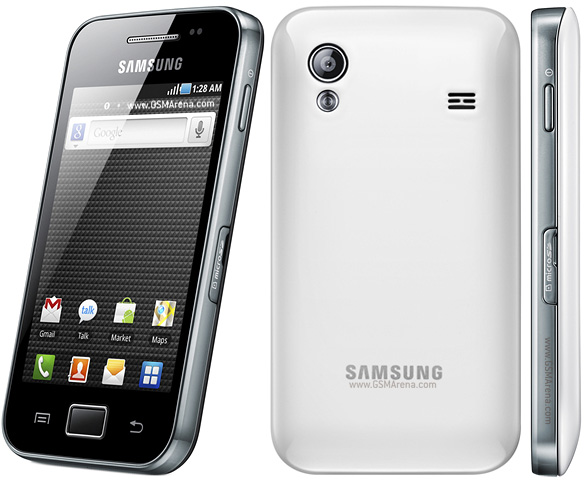
Jelly bean for Galaxy ACE:
How to Install a Custom ROM on Galaxy Ace s5830:
Getting Ready:
Well, if you ready to flash a Jelly Bean ROM on your Galaxy Ace, you need to do a few things before proceeding to flash the ROM. Since a custom ROM is directly related to modifying/replacing the system files, it requires root access and there fore you will have to root your phone before being eligible to any such action. If you have yet rooted your Galaxy Ace, head over to our handy tutorial first, then continue from the steps below: Root Samsung Galaxy Ace S5830
Among the other things you need to do before installing this ROM are:
- Get your Galaxy Ace fully charged.
- Backup all your contacts, messages and other important data. Backup your contacts, call-logs, messages, APNs, bookmarks, calendar, apps & games using these nice free apps.
- Turn on the USB Debugging mode on your device. Go to Settings> Applications>Development> USB Debugging> check the box.
- Download the ROM you like from the links below. Do not extract the zip file and copy it to the main directory of your device’s SD Card (not in a sub-folder).
- Download Google Apps for your phone from below (do not extract) and copy it to the same location as the ROM file.
- IMPORTANT: Download a Root File Manager app from the Google Play Store. Open the root file explorer and look for a folder called “efs” and backup the this folder to the External SD card of your phone. It will be even better if you backup this folder on your computer too. In fact, this folder contains your phone’s IMEI. In case you discover that your phones IMEI number has gone/lost, you can restore the “efs” folder back to its place and your problem will be fixed.
Installing a ROM on Galaxy Ace:
- First of all make sure that you have done all things mentioned above under preparations.
- Turn off your device and boot it into CWM Recovery Mode. Press and hold the Home+Power keys till the start up screen with “Samsung Galaxy Ace GT-S5830″ logo blinks for two times and you see a screen as shown below.
- In the Recovery Mode, use Volume and Power keys to navigate between the options and select them.
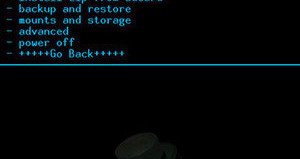
- Open “backup and restore” and backup your current ROM (important). When the backup is done go back to the main menu
- In the CWM Recovery Mode, scroll to “wipe data factory reset” option and select “Yes”.
- Then come back to the main menu and select “install zip from sdcard> choose zip from sdcard”. Now browse to the ROM file and select it. Confirm your choice by selecting “yes”.
- This will start the installation process and will take a few minutes to complete.
- When it is done, go back and install the GApps using Step 8.
- Return to the main menu again and select “reboot system now”. It might take a few minutes before your device reboots, so a little patience is required.
Download Google Apps:
In case you have any issue with Google apps zip package, download the following Google apps, copy them to your phone by connecting phone to computer using USB cable and install them.Google Play Store: Click Here
Gmail 4.2.1: Click Here
Gmail 4.1.2: Click Here
Google Maps: Click Here
Google Currents: Click Here
The Jellaxy ROM is a CyanogenMod 10 based custom ROM that lets you enjoy Android 4.1.1 Jelly Bean on your very Galaxy Ace S5830. Having installed this cool ROM on your phone your will be all good features like the Google Now, Project Butter, new Notifications system, lockscreen associated with Jelly Bean. Except for a few features like USB tethering, Wi-Fi tethering and Google Now (voice search) the ROM developer has been significantly successful in porting all other features in a working state.
Download Google Apps: Gapps-jb-2012.zip (for google apps) [CyanogenMod 10.0.x]


How to Install:
See at the beginning of the post for installation procedure. Here are are the steps to perform in CWM Recovery:
Boot into CWM
Wipe Data/Factory Reset
Go to ‘mounts and storage’ and ‘format /system’ (Double check that you have selected /system and NOT /sdcard)
click install zip from SD card-choose the downloaded file!!!
That's all click reboot and your phone will wake up into a new era of Android !!
(if you don't follow the steps mentioned above correctly it may cause damage to your phone).
SO DO IT UNDER YOUR OWN RISK!
Thursday, 21 February 2013
Grand Theft Auto for android
Grand Theft Auto -III
Grand Theft Auto III or
more easily abbreviated to GTA 3, it's really a game developed by
Rockstar Games was adopted from consoles PS2, Xbox and PC, but with the
menggeliatnya Android users so the developers include an arcade &
action game genre to the Android platform.
For the storyline of Grand Theft Auto III for Android is the same platform that you played a character other named Claude, someone who is heartbroken because his girlfriend cheated and now tripping problem for stealing bank and go to jail.
Claude managed to escape from prison and then in his escape he joined a mafia organization, over time the ongoing reputation of Claude in the mafia groups is increasing.
So how do you play the character Claude? Android is actually in the game GTA 3 no storyline straight, we are free to choose the mission that you want to run, although some missions can only be played after completing certain missions or after a certain amount of money.
Screenshot GTA 3 Android Games


You can walk or run around town, driving a car, boat, and aircraft, using a variety of weapons, ride the train, and so on.
In addition to the major missions such as crime, fighting, shooting, robbing, brutally driving, etc., players can also run missions vigilante, paramedic, firefighter and taxi drivers. The advantage gained is money, weapons, health, and others.
CLICK to DOWNLOAD TORRENT ( APK &DATA )
Monday, 18 February 2013
NFS MOST WANTED for android
NEED FOR SPPED MOST WANTED
Need For Speed MOST WANTED is now on ANDROID!!!!!!!!!.


Buckle up, hit the gas and hold on tight; you’re in for the ride of your life. Outrun cops, outsmart rivals – and outdrive your friends – in the most dangerous Need for Speed yet. Do you dare to be the Most Wanted?
MAKE TROUBLE, GET WANTED
Evade a relentless police force while you clash with street racers. Race and chase hot cars like the SRT Viper GTS, Porsche 911 Carrera S, Hummer H1 Alpha, and many more. Feel the intensity of no-brakes-allowed street racing with realistic full-car damage for the first time on mobile.
LEAVE YOUR MARK
Log into Origin to check the Wanted List and find out who is the Most Wanted across platforms and among your friends. Then, challenge your friends and prove your racing skills in nonstop competition.
GO FROM ZERO TO MOST WANTED…
• Choose and customize over 35 unique cars
• Race the way you want! By popular demand you can now touch or tilt to steer
• Use Mods to enhance your car and get ahead of the pack in style
• Experience the action with mind-blowing graphics and intense full-car damage
• Earn Speed Points to unlock new cars
Requires Android:2.3.3 and UP
Download Links: (Armv7 Only)
Download APK File:
DataFileHost:
Mirrors:
Need For Speed Most wanted APK(12 MB) NEW OFFLINE APK
Install APK and place data folder in SDCard/Android/data/ and play.
Install new offline apk and data will be same.
Friday, 15 February 2013
Official uTorrent App For Android
U torrent
As far as file sharing goes, BitTorrent is one of the most frequently-utilized platforms, and in terms of clients, uTorrent (stylized µTorrent), is easily the most popular. Its clean, minimalistic interface and resourceful nature are the two key reasons for the application becoming the most popular around, and for the some 480 million Android users, that ease-of-use can now be enjoyed on Google’s market-leading platform.
Torrenting hasn’t really had its day on mobile devices, and although there are plenty of promising apps doing the rounds on all the big ecosystems, most .torrent file downloaders and uploaders stick with the bread-and-butter familiarity of the desktop iteration. Yes, a minority download their torrents using specially-crafted apps, but the farthest most have gone to torrenting on a smartphone or tablet is using one of the many remote-based apps – allowing one to control, pause, or delete files on-the-fly.
Like VLC, which very recently released to the Google Play Store as a beta, the uTorrent Android app
will likely be met with a warm welcome from mobile device-toting file sharers. Of course, it’s more than likely Apple will never, ever let such an app grace its stringently-moderated App Store, so if you do indeed wish to download your content on the move, you will either have to jailbreak your iOS device, or consider migrating over to Android.
uTorrent droid 2
The uTorrent app, seems pretty stable, although the beta moniker suggests you should not rely on it for heavy-duty, important file transfers. It works for most Android versions (compatibility runs all the way back to Éclair would you believe), and can be downloaded right now from the Google Play Store – linked at the foot of this post.
uTorrent droid
You might expect – given the obvious restrictions of using a smartphone or tablet compared with, say, a desktop – that the app would be crippled by caps on download file size or bandwidth, but as long as your device has the capacity and the means to download or upload, you’re good to go.
Although the uTorrent desktop client has always been free, the Play Store description notes it’s only "currently free", so it’s definitely worth grabbing, if only for safe-keeping.
To download utorrent click Click Here (Play store link)


As far as file sharing goes, BitTorrent is one of the most frequently-utilized platforms, and in terms of clients, uTorrent (stylized µTorrent), is easily the most popular. Its clean, minimalistic interface and resourceful nature are the two key reasons for the application becoming the most popular around, and for the some 480 million Android users, that ease-of-use can now be enjoyed on Google’s market-leading platform.
Torrenting hasn’t really had its day on mobile devices, and although there are plenty of promising apps doing the rounds on all the big ecosystems, most .torrent file downloaders and uploaders stick with the bread-and-butter familiarity of the desktop iteration. Yes, a minority download their torrents using specially-crafted apps, but the farthest most have gone to torrenting on a smartphone or tablet is using one of the many remote-based apps – allowing one to control, pause, or delete files on-the-fly.
Like VLC, which very recently released to the Google Play Store as a beta, the uTorrent Android app
will likely be met with a warm welcome from mobile device-toting file sharers. Of course, it’s more than likely Apple will never, ever let such an app grace its stringently-moderated App Store, so if you do indeed wish to download your content on the move, you will either have to jailbreak your iOS device, or consider migrating over to Android.
uTorrent droid 2
The uTorrent app, seems pretty stable, although the beta moniker suggests you should not rely on it for heavy-duty, important file transfers. It works for most Android versions (compatibility runs all the way back to Éclair would you believe), and can be downloaded right now from the Google Play Store – linked at the foot of this post.
uTorrent droid
You might expect – given the obvious restrictions of using a smartphone or tablet compared with, say, a desktop – that the app would be crippled by caps on download file size or bandwidth, but as long as your device has the capacity and the means to download or upload, you’re good to go.
Although the uTorrent desktop client has always been free, the Play Store description notes it’s only "currently free", so it’s definitely worth grabbing, if only for safe-keeping.
To download utorrent click Click Here (Play store link)


Max payne for ANDROID
Max Payne
PC game now at ur palm gadgets
To download this u need to install any torrent downloader on your system.copy link to the url box on ur torrent downloader
Click to download torrent file


PC game now at ur palm gadgets
To download this u need to install any torrent downloader on your system.copy link to the url box on ur torrent downloader
Click to download torrent file


ClockworkMod Recovery on Samsung Galaxy Y
Install ClockworkMod Recovery on Samsung Galaxy Y
Samsung Galaxy Y has been seeing a lot of development these days. However, there has been no CyanogenMod or MIUI ROM for Galaxy Y but there are many custom ROMs out there which work really well, have bloatware removed with a cool UI. But the installation of these ROMs is much easier if you have ClockworkMod Recovery installed. We had previously mentioned about installation of Clockworkmod Recovery using ROM Manager but that is not possible anymore and we regret for the inconvenience. Here is a step by step guide to install ClcokworkMod Recovery on Samsung Galaxy Y.
Why Should you Flash ClockworkMod Recovery?
 That is a genuine question one may ask because you can flash custom ROMs using stock recovery too then why Clockworkmod? The reason is that Clockworkmod Recovery gives some additional options which the stock recovery doesn’t. If you are flashing a custom ROM, you will need to wipe data/factory reset. You would then restore all contacts, sms and apps one by one which becomes tedious. To make it simple, you can boot into CWM recovery and make a nandroid backup. After flashing the ROM, boot into CWM recovery and select backup and restore>advanced restore>restore data and choose the nandroid backup you had made previously. This will restore all the data you had in your device previously including apps, contacts and sms.
Disclaimer: SYNDROID is not responsible for any damage that might be caused to your device during this process though the possibility of any damage is negligible.
Prerequisites
You won’t actually lose any data while doing this as it is a simple process but you may need to make a factory reset if you face force close issues. So it would be better if you take a backup of all important data on your device.
- Back up all apps using Titanium Backup since you have already rooted your LG Optimus Black
- Back up all contacts to SD card.
- Backup SMS on Android.
- Backup call log on Android.
- Have minimum 60% charge on your phone.
Click Here to download Clockworkmod
Steps to Install ClockworkMod Recovery in Samsung Galaxy Y
- Download ClockworkMod Recovery zip to your PC.
- Connect your phone to the PC via USB Cable. Make sure you have USB Debugging turned ON.
- Copy the zip file to the root of your SD card and not within any folder.
- Disconnect your phone from the PC and turn it off.
- Reboot into recover mode by pressing Home button + Volume up button and Power button for 20 seconds.
- When you are in recovery mode, select “Update from SD Card”.
- Now select the zip file you had copied to the root of your SD card in Step 3.
- Go back and select “Reboot system now”.
Now you can boot into ClockworkMod Recovery using the same buttons as that of the stock recovery. If you face any issues, feel free to comment below
How to Update Samsung Galaxy Ace with Android 4.1.1 Jelly Bean official CM10 ROM
Android 4.1.1 Jelly Bean ROM for Samsung Galaxy Ace GT-S5830 is now officially available from CyanogenMod. The Jelly Bean ROM for Galaxy Ace from CyanogenMod is named as CM10(CyanogenMod 10). You can upgrade your phone to Android 4.1.1 Jelly Bean Operating System by installing this custom ROM.
The Samsung Galaxy Ace GT-S5830 is normally comes with Android 2.3 Gingerbread as an Operating System. There is no official Android 4.0 Ice Cream Sandwich upgrade from Samsung mobile Support. The Phone is comes with 800 MHz processor, 5 Mega pixel camera, 3.5 inch capacitive touch Screen. Galaxy Ace is capable to run CM10 custom ROM Android 4.1.1 Jelly Bean on your phone.

Warning before installing Jelly Bean ROM on Samsung Galaxy Ace:
- We are not responsible for any damages that may happened due to using this ROM. If any problem happens that related to installing, we will help you to solve it.
- Use this guide at your own risk. We shall not have any liability or responsibility for whatever happens to you and your device by using the instructions in this guide.
- The instructions provided in this tutorial for educational purpose only. There is no guarantee that these steps will work for your device.
- The steps given in this tutorial is only to use with Samsung Galaxy Ace and the model number GT-S5830. Applying this guide to any other device or any other model may produce many problems.
- Read and Understand the whole tutorial first, before going to perform the steps.
What Doesn’t Work:
- Camera
- Proximity Sensor
Pre Requirements:
- First your mobile must be rooted. Check this – How to root Samsung Galaxy Ace
- Then install ClockWorkMod custom Recovery. Check this – How to install ClockWorkMod Recovery on Samsung Galaxy Ace S5830
- We recommend you to take a backup of the data in your phone. After installing the ROM, all the files and data will be deleted.
- SMS – How to Backup Messages
- Contacts – Sync with Gmail App
- Videos, Images, Songs and Other Files – Copy to internal / External SD card or System
- APN Settings – Take Manual Note from “Settings > Wireless & Networks > Mobile Networks > Access Point Names
- Then maintain minimum 60% charge in your phone’s battery. This will help you to don’t get switched of your phone.
- And disable any antivirus and firewalls too.
How to install Android 4.1.1 Jelly Bean CM10 ROM on Samsung Galaxy Ace:
- Download the ROM cm_ace-ota-eng.maclaw.beta1.zip – 133.94MB – Click Here for ROM
- Transfer the downloaded file to your SD card.
- Switch off your phone.
- Reboot in recovery mode. You can do it by pressing HOME button + Power button together untill gets the recovery screen.
- Then you will move on to ClockWorkMod Recovery screen.
- Select Wipe/Data reset and confirm it on the next page.
- Select Wipe cache partition and confirm it on the next page.
- Go back to Main menu of the Recovery page, Select Advanced and then Select Wipe Dalvik Cache and confirm it on its next page.
- Then Go back to Main Menu, and select Install Zip from SD card and then select Choose Zip from SD card.
- After that browse and choose the downloaded zip file. Then confirm it on the next screen.
- This will install the ROM from you selected zip file to your mobile phone. Wait for the installation process finish.
- After the installation complete, Go back to main menu and select Reboot System Now option to restart your phone.
DO UNDER YOUR OWN RISK!
Tuesday, 12 February 2013
ROOT ANDROID PHONE
ROOT ANDROID PHONE
why to root???
And Here we Go....
 |
Preparation
- Download and install SuperOneclick (download link is given below)
- Download and install phone's PC Suit
Root*
Do factory reset, Go to Menu > System > Privacy > Erase All Data- Next, go to Menu > Settings > Application > Development
- Make sure that USB Debugging is already check / enable
- Unmount SD card, go to Menu > Setting > SDcard > unmount
- Connect to PC/Laptop
- Wait until window detect and recognize the device
- Open SuperOneClick (download link is given below)
- If you saw your device is already detect by SuperOneClick go to next step
- Click Root
- Wait until SuperOneClick finish all task and reboot
- Done
Unroot
- Just make sure that USB Debugging still enable/check
- Connect the device to PC/Laptop
- open SuperOneClick
- Click Unroot
- Wait until all process are done and reboot
- Done
##Do With Your Own Risk
*Rooting can void warranty of your gadget
Donwload Support File
Download Superoneclick v2.3.3.apk
Need for Speed: Shift v1.0.73
Need for Speed: Shift v1.0.73

Type: Sports games
Language: English
Provides: EA
Tariff: Free
Updated: 2012-7-14 13:32:12
Games description: Need for Speed SHIFT is an award-winning authentic racing game that combines the true driver’s experience with real-world physics, pixel-perfect car models, and a wide range of authentic race tracks. Need for Speed SHIFT takes players in a different direction to create a simulation experience that replicates the true feeling of driving high-end performance cars.
Games features: htc data packet(97M): →Click here to download the data packet←
i9100 data packet(81M): →Click here to download the data packet←
 Click here to download NFS Shift v1.0.73
Genres: Action
From: Rockstar
Games description: Need for Speed SHIFT is an award-winning authentic racing game that combines the true driver’s experience with real-world physics, pixel-perfect car models, and a wide range of authentic race tracks. Need for Speed SHIFT takes players in a different direction to create a simulation experience that replicates the true feeling of driving high-end performance cars.
Games features: htc data packet(97M): →Click here to download the data packet←
i9100 data packet(81M): →Click here to download the data packet←
Click here to download NFS Shift v1.0.73
Saturday, 9 February 2013
Link-SD
Link-SD

It is an app that help to move installed apps from phone memory to SD card. It will help to increase system space.
Features: - Create and remove link for apk, dex and lib files of the applications you select
- Automatically link newly installed apps
- Move any user apps to SD even though the app does not support moving to SD (for Android 2.2 and higher)
- Shows the apps that support moving to SD with native apps2sd (for Android 2.2 and higher)
- Set the default install location of the apps; auto, internal, or external (for Android 2.2 and higher)
- Batch link, unlink, reinstall, uninstall, "move to SD", "move to phone" functions (multi-select mode)
- Uninstall system applications
- Freeze and un-freeze system and users applications
- Convert system apps into user apps
- Convert user apps into system apps
- Integrate "Updated" system apps into system (ROM)
- Clear data and cache of the application
- Clear all apps cache at once (1-tap cache cleaner without being root)
- List applications, show detailed size information and link status
- Sort and filter applications
- Search applications by name
- Display available space information of internal storage, SD card and SD card 2nd partition
Download:
Link-Sd.apk (Play store)
BOOT ANIMATION
BOOT ANIMATION
It is an android app to choose our booting logo/animation to users demand.
( Note: It works only on rooted devices).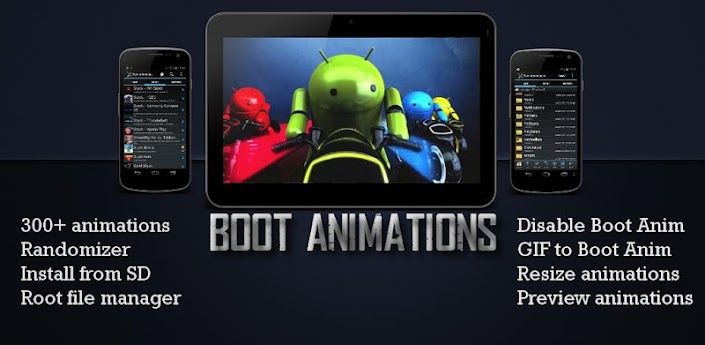
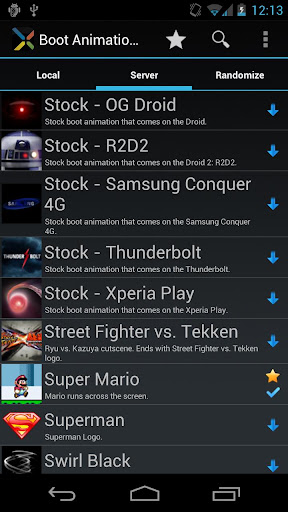
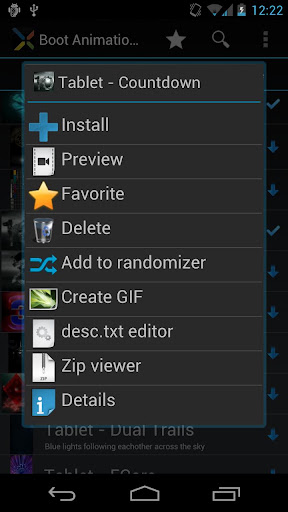
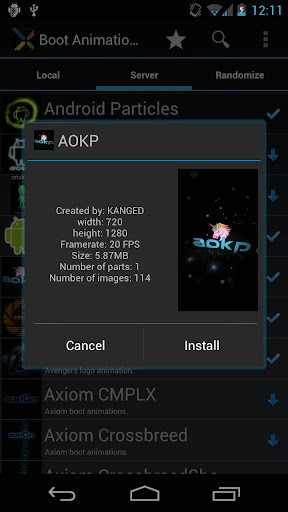
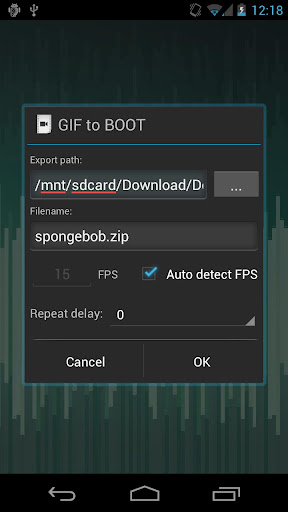 Customize a custom Boot Animation!Welcome best Boot Animation manager. T contains animations than any other app! Please check out ROM Toolbox Pro t plus much more.T requires busybox access. If any questions please email us at jrummy.apps@gmail.com
 Boot Animations
★ root v1.0 include:★ 300+ custom boot animations★ Convert any animated GIF boot animation★ Install boot animations from card★ Root file explorer (all Jelly Bean Android Boot Animations ★ root v1.0 included)★ Convert boot animations GIFs★ Preview boot animations★ Randomize animations (new boot animation)★ Resize any boot animation ★ Backup/Restore multiple boot animations★ Disable animation faster bootSome Jelly Bean Android Boot Animations ★ root v1.0 available after-app purchase inside . also remove ads small in-app purchase. appreciated.play
Download Links here:
https://play.google.com/store/apps/d...imations&hl=en
Boot Animations ★ root v1.0 http://www.filedownloads.org/sj7egl6..._v1.0.apk.html Boot Animations ★ root v1.0 http://ul.to/4mphei5k
 Customize a custom Boot Animation!Welcome best Boot Animation manager. T contains animations than any other app! Please check out ROM Toolbox Pro t plus much more.T requires busybox access. If any questions please email us at jrummy.apps@gmail.com Boot Animations ★ root v1.0 include:★ 300+ custom boot animations★ Convert any animated GIF boot animation★ Install boot animations from card★ Root file explorer (all Jelly Bean Android Boot Animations ★ root v1.0 included)★ Convert boot animations GIFs★ Preview boot animations★ Randomize animations (new boot animation)★ Resize any boot animation ★ Backup/Restore multiple boot animations★ Disable animation faster bootSome Jelly Bean Android Boot Animations ★ root v1.0 available after-app purchase inside . also remove ads small in-app purchase. appreciated.playhttps://play.google.com/store/apps/d...imations&hl=en Boot Animations ★ root v1.0 http://www.filedownloads.org/sj7egl6..._v1.0.apk.html Boot Animations ★ root v1.0 http://ul.to/4mphei5k
Friday, 8 February 2013
JELLYBLAST V3.0.4 for Galaxy Y(GT-S5360)!!
[CUSTOM ROM] [KERNEL] [ICS/Jelly Bean mod] [Update 19/11/2012] JELLYBLAST V3.0.4 for Galaxy Y(GT-S5360)!!
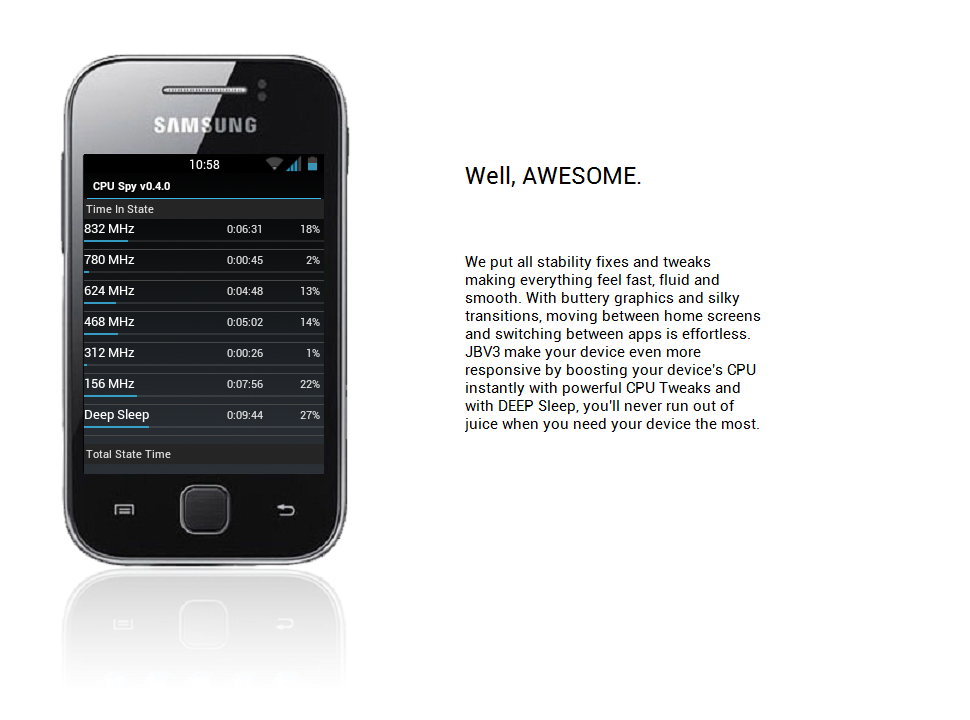
NEW COOL FEATURES:
- Based on DDLF1, but compatible with any version!
- Totally Dark Jelly Bean themed.
- Each and every icon fine tuned to look like Jelly Bean.
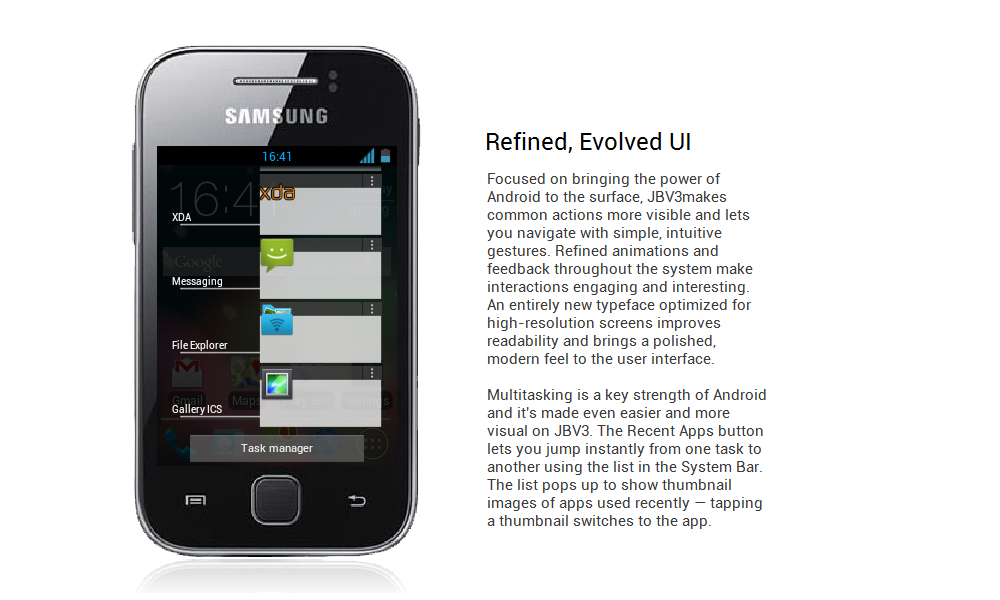
- A new Jelly Bean task manager ( Recent apps list).
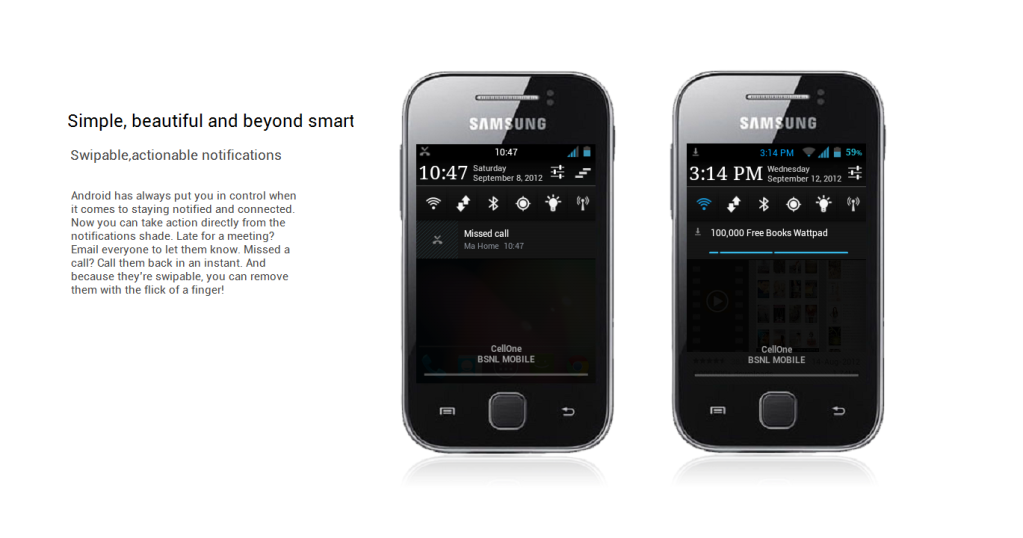
- Added Swipe to clear notifications on Status Bar.
- ROBOTO as system font.
- A new, AWESOME JELLYBEAN status bar and notification panel.
- New music app based on stock Touchwiz, but contains DSP equalizer support.
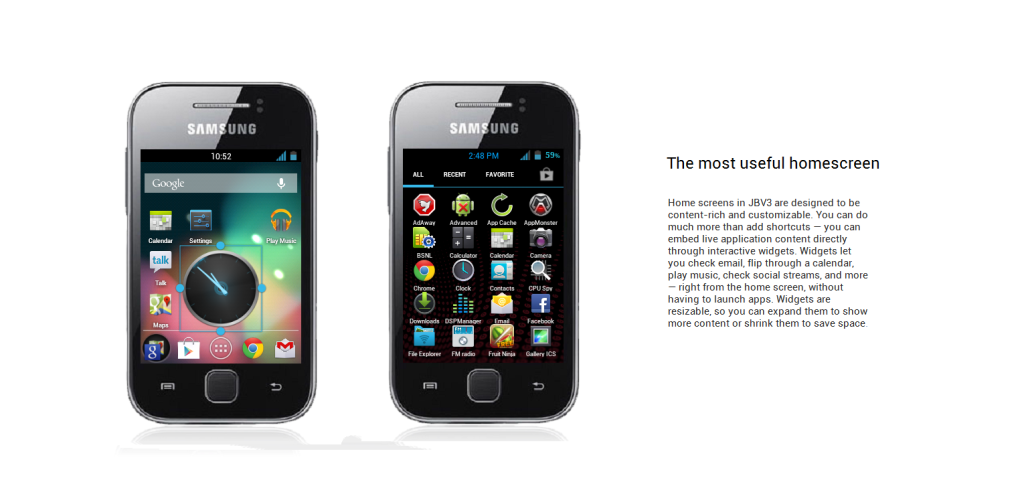
- NEW LOCKSCREENS- Never miss a chance to show off your cool lockscreen.
- OTA FEATURE added. Now users can automatically update the ROM from OTA upgrades, in the settings menu.
- A TOTALLY REVAMPED SETTINGS MENU ,With the following new controls : Statusbar Control, Lockscreen Control, Sound Effect Control, and Quick Toggles Control...finally, your phone is truly yours!
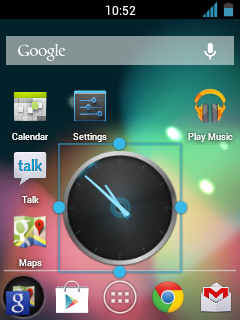
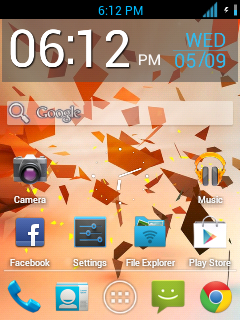
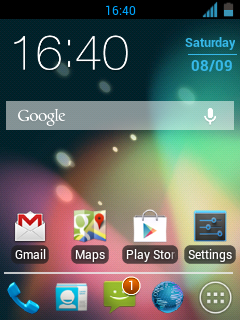
- New Jelly Bean Digital Clock, analogue clock, and Jelly Bean Search Bar.
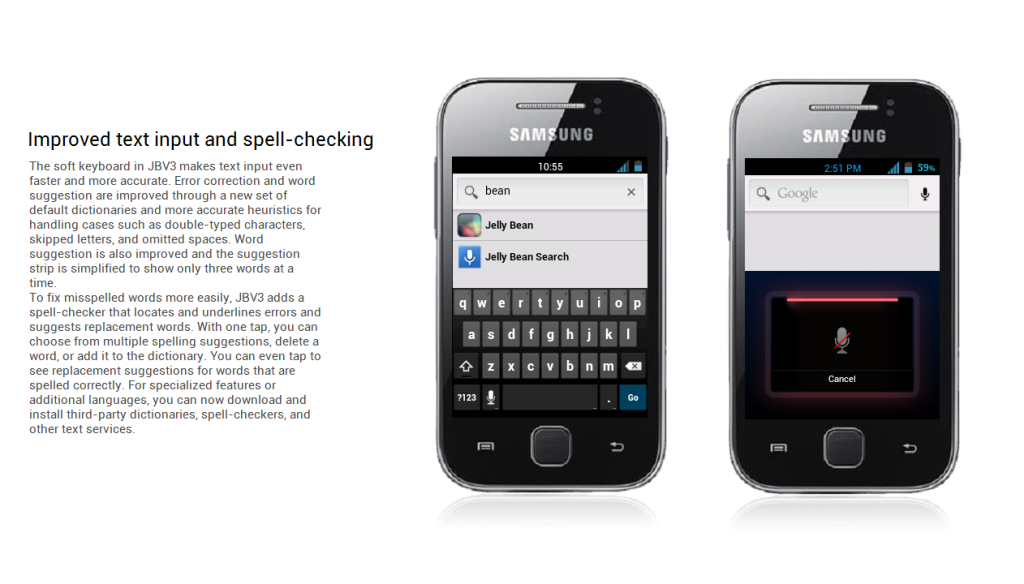
- New smarter JellyBean keyboard.
- Extented power menu: Now those long processes are long no more!
- Zero delay root access...try and see!
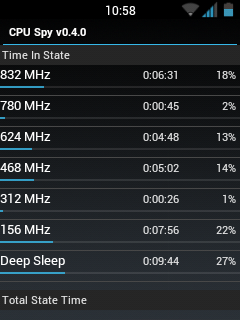
- NEW KURO KERNEL, be it more power for gaming, or power saving mode for Deep Sleep, Kuro kernel takes care of your batteries in the best possible way.
- Battery life megaboosted, last upto 2 days in power saving mode!
- CPU control feature added....high performance or underclock...choice is yours!
- CRT animation added in Lockscreen, and other Superfast Jellybean animations!!!! Set animation speed to fast under "Lock screen and Other Settings" and see the increase in speed! Go zoom zoom zoom!!!
- Kernel is suitable for everyone: default settings (conservative + sio ) is battery saving, while bcm + cfq settings give power boost: Antutu score 2000+ without any extra tweaks!
- Improved memory management.
- Two awesome launcher choices: You get both HOLO LAUNCHER, and the STOCK Touchwiz launcher, which is Jelly Bean themed.
- ICS themed Swype keyboard. (look under Troubleshooting to download)
- Full Screen Caller Mode: Now see your friends in FULLSCREEN while calling them.
- SONY BRAVIA ENGINE added...your pictures are clearer than before!!
- MULTILANGUAGE: Cestina , Dansk, German, Dutch, English ( US, UK) , Spanish, Estonian, French, Gaeliege, Hravatski, Islenska, Italiano, Kazakh, Latviesu, Lietuviu, Macedonian, Magyar, Nederlands, Norsk, Polski, Portuguese, Ronan , Slovencina, Srpski, Suomi, Svenska, Turkish, Thai, Greek, Chinese, Russian, Hebrew. For Arabic support, look in the "JellyBlast addons" section below. You can use the 13th Sept link.
- Net speed tweaks: Increase your net speed.
- Superfast Chrome browser included.
- New superb bootanimation.
- LOTS OF THEMES AVAILABLE UNDER "JELLYBLAST THEMES " BELOW!!!! (4th post).
- More cool addons available under "Jellyblast Addons" below!
- Enjoy!!!!
JELLYBLAST CORE TOOLS:
- bacem_tweak: This feature adds undervolt support to your phone. The default value of undervolt is -20mV, but you can undervolt it to -100mV.
- droidwall_modules: A feature like Windows firewall, protects your phone!
- darky_zipalign: This auto zipalign happens at every boot, and optimizes files.
- KURO 1 and KURO 2 tweaks: Includes a host of features like:
# perfect mount
# sdcard speed bost to 2048
# kernel kick ( KAK)
# OOM
# network boost
# auto cache cleaner
# minfree
# i/o related tweak
# vacuum
# 3g mod
# battery mod n media
# performance ( remove by flushing and purging)
# Disable debugging notify icon on statusbar
# Disable blackscreen issue after a call
# Phone will not wake up from hitting the volume rocker
# Enable display Dithering
# For SD storage insert notificationsound
# journalism disabler
JELLYBLAST ADVANCED FEATURES:
- Audio Enhancements:
i. BEATS™ audio for Marvellous, crisp sound. ( remember to exclude it from your task killer)
ii. SONY XLOUD™ enhancement for controlling sound distortion in high sound levels.
iii. SRS WOW® HD.
iv. Dolby Digital 3D surround sound. - SONY CYBERSHOT™ Camera enhancements: Clearer image even after zoom and larger image size ( 100%). Adapted from Cybershot mod by Rizal Lovins.
- Built in ADBLOCKER
- HD Contact Image support
- StatusBar Greper
- Super battery saving tweaks by default ( if you don't care about battery life, and want a blaaazzzziiiinnngggg fast device, simply change CPU settings to bcm+ cfq or bcm+ noop) .
- More coming after every update!!!!


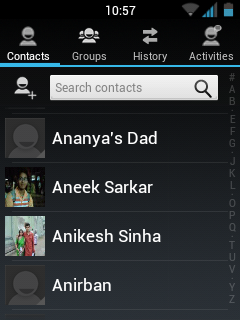



DOWNLOAD JELLYBLAST V3.0.4 Here
INSTALLATION VIDEOhttps://www.youtube.com/watch?v=Wtilrl_894A
INSTALLATION GUIDE:
- Root your phone. If already rooted, proceed to the next step.(How to root or unroot Galaxy Y-click here)
- Make sure that you're on Stock kernel. Stock = Factory version ( The kernel that came while buying the phone). If you haven't changed kernel, ignore this warning.
- If your'e NOT on Stock kernel, either flash stock kernel, or open the JELLYBLASTV3.signed.zip on your pc, delete boot.img from it, and then flash the zip. In that way, you'll be able to use ANY kernel you already have.However,it is always advisable to start from stock in order to eliminate any possible runtime errors.
- Remove a2sd or data2sd and format your 2nd partition if you have it.
- Place the above file to your sd card (NOT IN ANY FOLDER!!!)
- Switch off your phone.
- Go to Clockwork mode. If you don't know what is CWM, click here This is important, because CWM is necessary, or you won't be able to boot up with the new Kernel. Use the CWM I have given above, for best results.
- Use the volume keys to move up and down.
- Wipe data and cache and Dalvik cache.
- Now choose: Install zip from sd card.
- Choose JELLYBLAST V3.signed.zip
- Choose "yes"
- It will be Installed. Now reboot your phone. First boot will take time. Be patient.
- If you have followed EVERYTHING above carefully, you will soon boot up to your new rom.
- Please wait until media scanning is completed.
- Enjoy!!!
 :P
:P
KERNEL DETAILS:
JBV3 uses KURO KERNEL , known best for its extreme battery saving capabilities and stabilities. However, you might want more speed, and might even want to OVERCLOCK your device upto 1.2 GHz.
For more info visit:- http://forum.xda-developers.com/showthread.php?t=1679563
Subscribe to:
Posts (Atom)