
ROOT ANDROID PHONE
why to root???
And Here we Go....
 |
Preparation
- Download and install SuperOneclick
- Download and install phone's PC Suit
Root
Do factory reset, Go to Menu > System > Privacy > Erase All Data- Next, go to Menu > Settings > Application > Development
- Make sure that USB Debugging is already check / enable
- Unmount SD card, go to Menu > Setting > SDcard > unmount
- Connect to PC/Laptop
- Wait until window detect and recognize the device
- Open SuperOneClick (download link is given below)
- If you saw your device is already detect by SuperOneClick go to next step
- Click Root
- Wait until SuperOneClick finish all task and reboot
- Done
Unroot
- Just make sure that USB Debugging still enable/check
- Connect the device to PC/Laptop
- open SuperOneClick
- Click Unroot
- Wait until all process are done and reboot
- Done
Do With Your Own Risk
Donwload Support File
BOOT ANIMATION
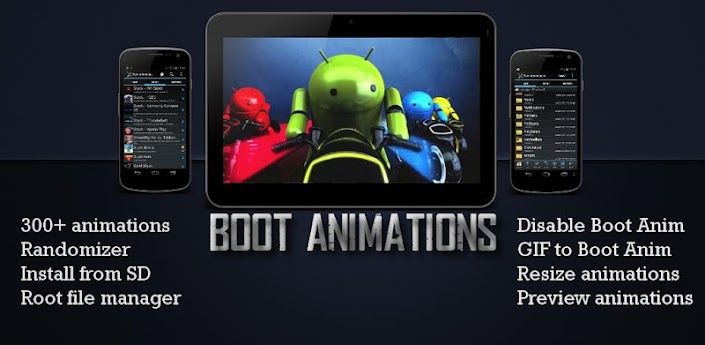
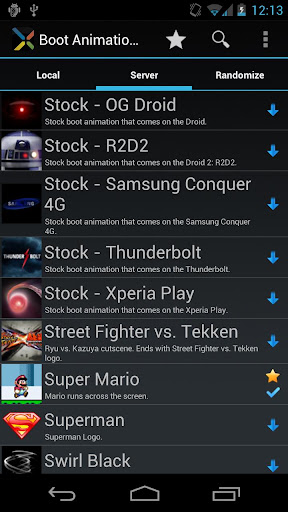
It is an android app to choose our booting logo/animation to users demand.
( Note: It works only on rooted devices).
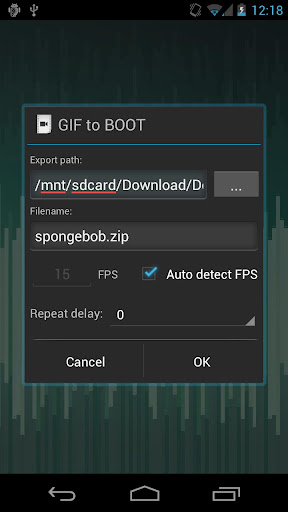 Customize a custom Boot Animation!Welcome best Boot
Animation manager. T contains animations than any other app! Please check out
ROM Toolbox Pro t plus much more.T requires busybox access. If any questions please email us at jrummy.apps@gmail.com
Customize a custom Boot Animation!Welcome best Boot
Animation manager. T contains animations than any other app! Please check out
ROM Toolbox Pro t plus much more.T requires busybox access. If any questions please email us at jrummy.apps@gmail.com
Boot Animations
★ root v1.0
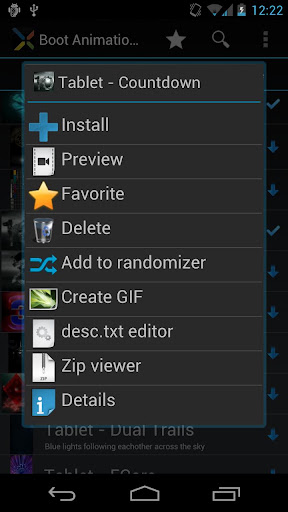
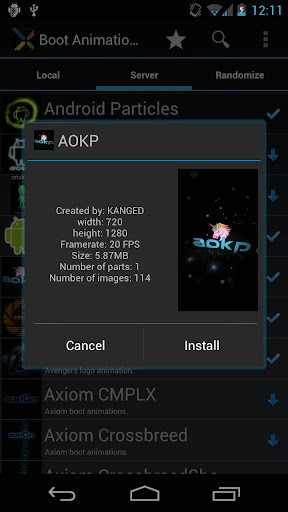
include:★ 300+ custom boot animations★ Convert any animated GIF boot
animation★ Install boot animations from card★ Root file explorer (all Jelly
Bean Android Boot Animations ★ root v1.0 included)★ Convert boot animations
GIFs★ Preview boot animations★ Randomize animations (new boot animation)★ Resize
any boot animation ★ Backup/Restore multiple boot animations★ Disable animation
faster bootSome Jelly Bean Android Boot Animations ★ root v1.0 available
after-app purchase inside . also remove ads small in-app purchase.
appreciated.play
Download Links
here:
https://play.google.com/store/apps/d...imations&hl=en
Boot Animations ★ root v1.0 http://www.filedownloads.org/sj7egl6..._v1.0.apk.html
Boot Animations ★ root v1.0 http://ul.to/4mphei5k
Link-SD

It is an app that
help to move installed apps from phone memory to SD card. It will help to
increase system space.
Features: - Create and remove
link for apk, dex and lib files of the applications you select
-
Automatically link newly installed apps
- Move any user apps to SD even
though the app does not support moving to SD (for Android 2.2 and higher)
-
Shows the apps that support moving to SD with native apps2sd (for Android 2.2
and higher)
- Set the default install location of the apps; auto, internal,
or external (for Android 2.2 and higher)
- Batch link, unlink, reinstall,
uninstall, "move to SD", "move to phone" functions (multi-select mode)
-
Uninstall system applications
- Freeze and un-freeze system and users
applications
- Convert system apps into user apps
- Convert user apps into
system apps
- Integrate "Updated" system apps into system (ROM)
- Clear
data and cache of the application
- Clear all apps cache at once (1-tap cache
cleaner without being root)
- List applications, show detailed size
information and link status
- Sort and filter applications
- Search
applications by name
- Display available space information of internal
storage, SD card and SD card 2nd partition
Download:
Link-Sd.apk (Play store
TUBE MATE [TubeMate - The fastest and most famous YouTube downloader] Get HD videos on YouTube!! TubeMate YouTube Downloader enables you to quickly access, search, share, and download YouTube videos. [The original fast download technology] * Fast download mode(with multiple connections for a download) * Multiple download resolution options * Background, multi-download KW: YouTube Music, YouTube downloader, YouTube video, Freedi, BestTube, JetVD


click here to download
MX PLAYER
MX Player is a powerful video player for Android.
It plays almost all video files and subtitle files. MX Player is the
first Android video player that performs multi-core decoding. Test
results on dual-core devices have shown up to 70% performance
improvement over single-core decoding. The app provides Codecs and
Rendering Engines highly optimized for processors including ARM NEON and
NVIDIA Tegra 2


No comments:
Post a Comment